You’re in! Your 14-day free trial has started. We’ll email your access codes and setup guide shortly.
Student-en-route alerts for school nurses

Know who’s coming before they walk in.

Teachers send a quick heads-up in seconds. The nurse hears a chime, sees a live list of every student on the way, and marks them arrived when they get there.

Nothing to installFirst name + last initial onlyClears every night
nursedesk.app/nurse
✚  Nurse DeskNurse's Office · Sample School

On the Way

3Live
StudentTeacherReasonTime
Jordan M.Ms. CarterHeadache10:42
ArrivedDone
Ava R.Mr. HughesStomachache10:38
ArrivedDone
Liam T. ArrivedMrs. PatelScraped knee10:31
ArrivedDone
Sample data shownList clears nightly
Nurses get surprise visits all day, and a student sent from class can be lost in the hallway with no one noticing.
How it works

A heads-up in three taps

No phone calls, no paper passes, and no shared spreadsheet the nurse has to keep refreshing.

STEP 1

Teacher sends

Enter the student's first name, last initial, your name, and an optional reason. It only takes a few seconds.

STEP 2

Nurse gets pinged

The student appears instantly on the nurse's "On the Way" list with a chime and a desktop alert. No refreshing needed.

STEP 3

Nurse marks Arrived, then Done

One click when they walk in, another when they head back. Anyone still "on the way" stands out right away.

✚  Nurse DeskTeacher view

Send to Nurse

Let the nurse know a student is on the way.

Jordan
M
Ms. Carter
Headache

First name and last initial only, for privacy.

The product

Everything the nurse’s office needs. Nothing it doesn’t.

Real screens from Nurse Desk, now piloting at a middle school in Alabama.
Nurse queue screen

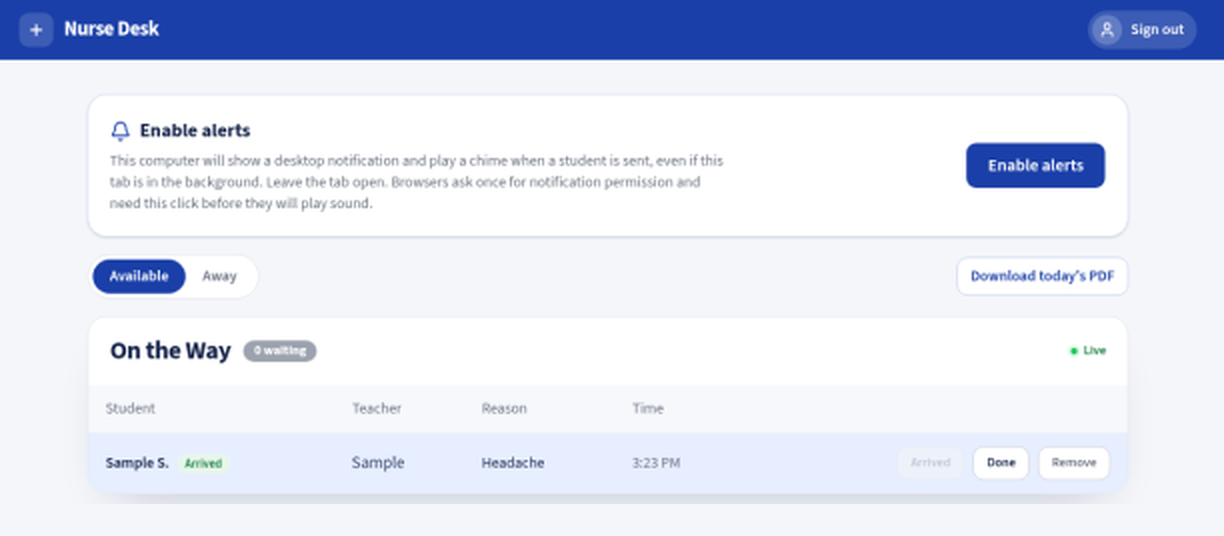
Live nurse queue

Students appear the moment they’re sent. Mark Arrived, Done, or Remove a mistake in one click.
Teacher send form

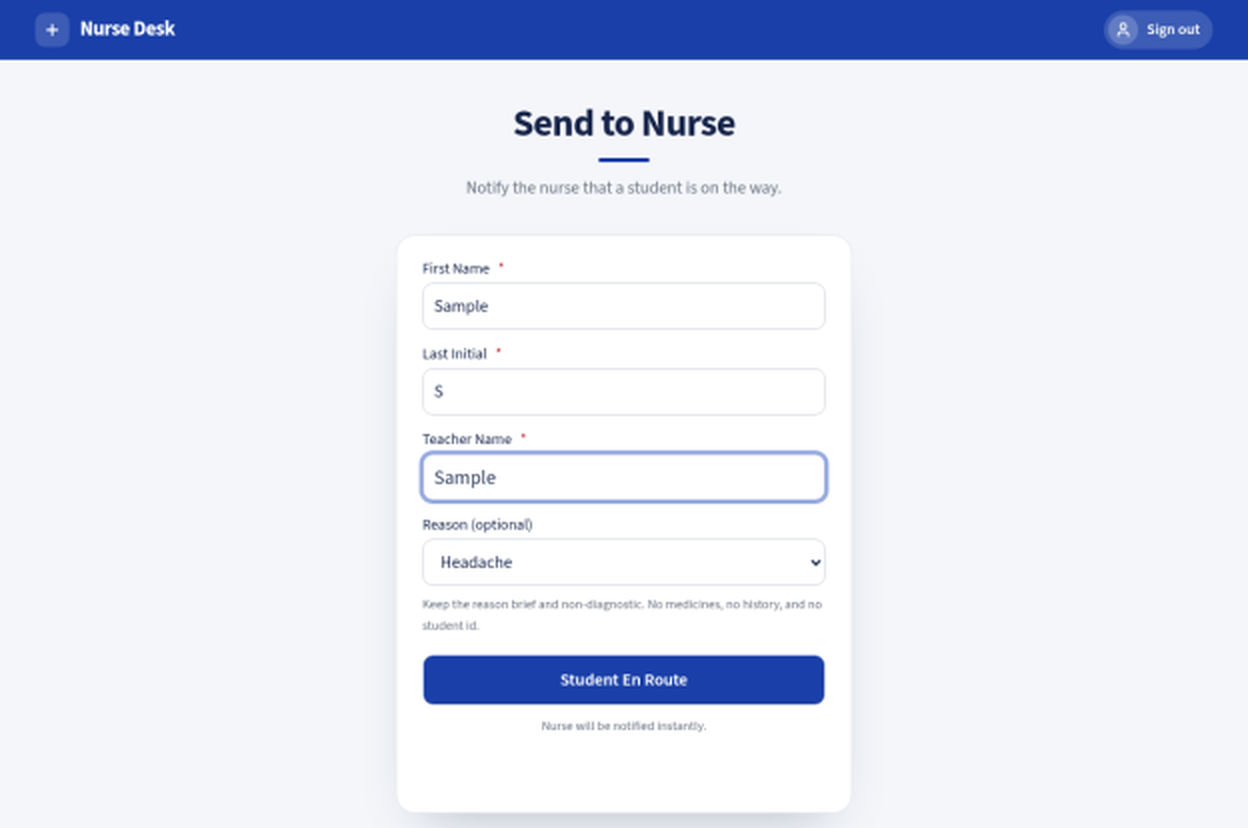
Ten-second teacher form

First name, last initial, teacher name and an optional reason. That’s it.
Nurse away toggle

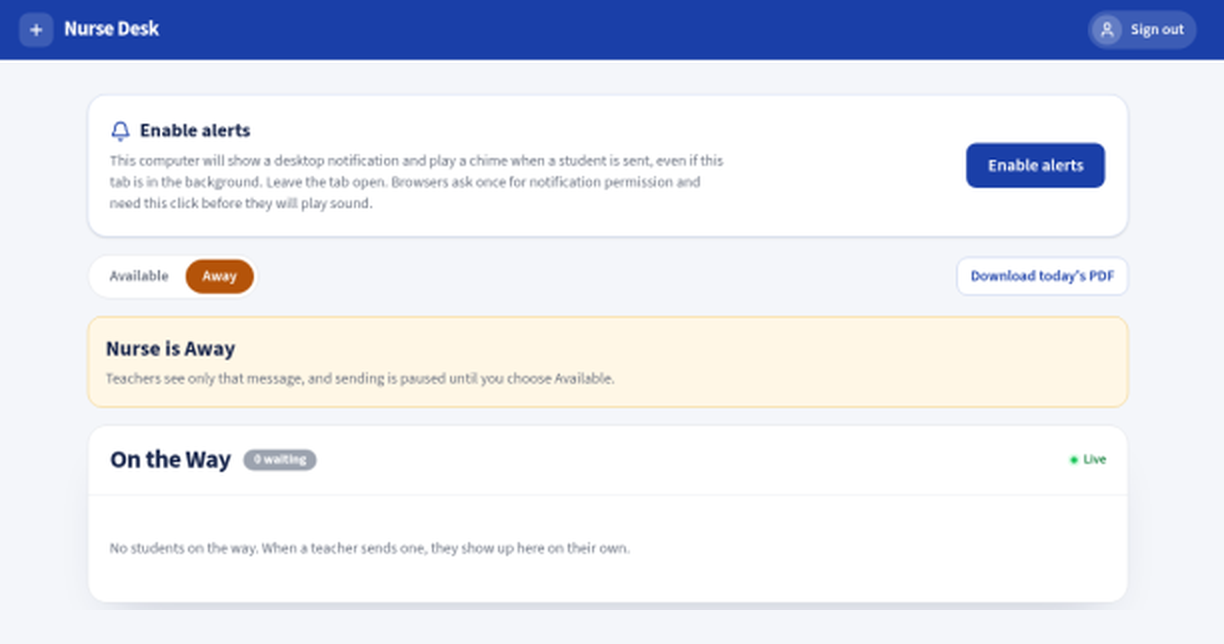
Away toggle

Stepping out? Flip Away and teachers see only “Nurse is Away.” Sending pauses until you’re back.
Daily visit report

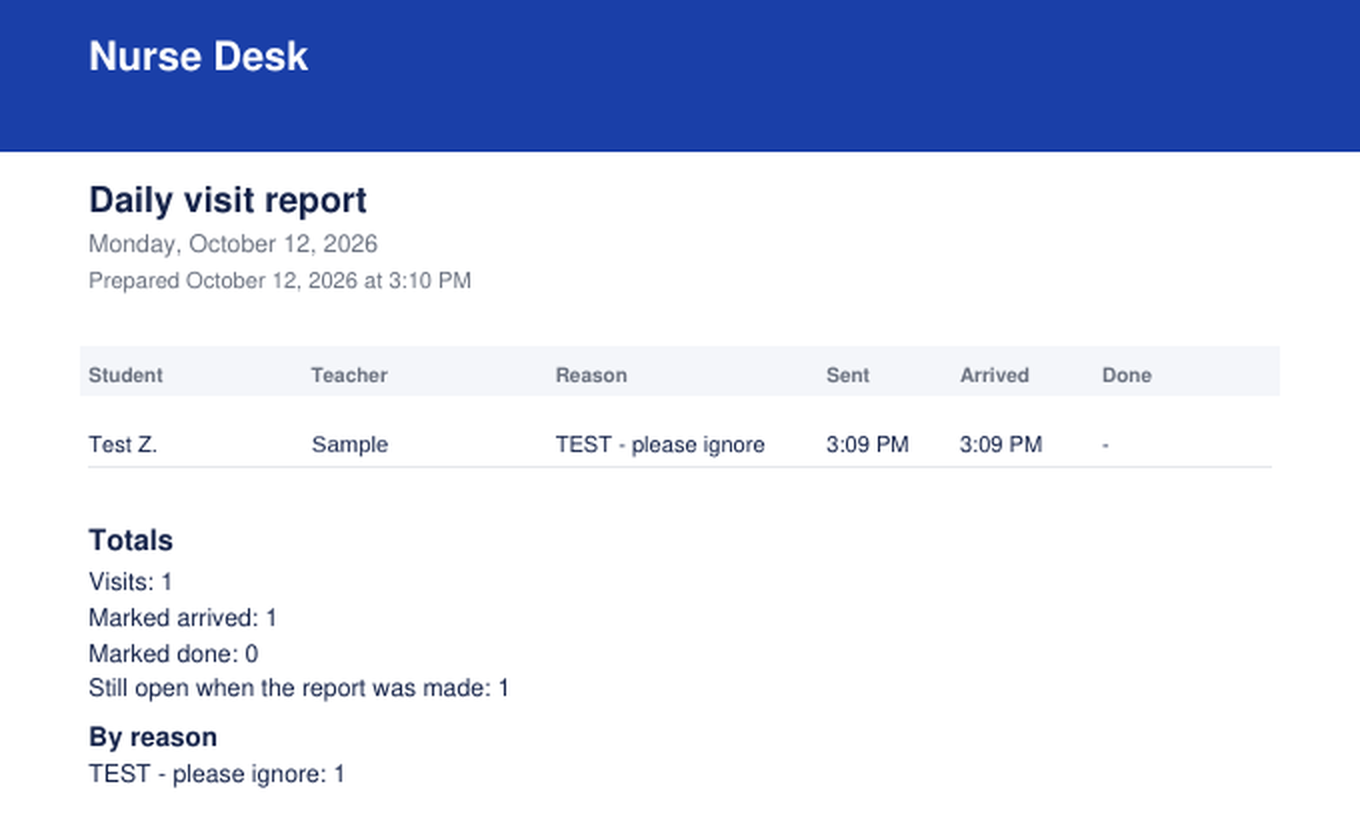
End-of-day PDF report

A clean PDF of the day’s visits for your records, then the list clears overnight.

Privacy by design

Built to collect as little as possible

Nurse Desk is a notification tool, not a health record. It only knows enough to say who is on the way.

First name + last initial

No full names, student IDs, or birthdates. “Jordan M.” is all the nurse needs to see.

No health records

No diagnoses, medications, or charting. The optional reason is a short, general note like “Headache.”

Clears every night

The list empties automatically after the daily report, so every day starts fresh.

Access codes, no accounts

Staff sign in with a school access code. No student or staff accounts to create or manage.

Runs in the browser

Nothing to install. Works on the Chromebooks, laptops and desktops your staff already use.

Desktop alerts

A chime and a desktop notification reach the nurse even when another window is open.

FAQ

Common questions

Don’t see yours? Contact us and we’ll walk you through it.

Does it need installing?

No. Nurse Desk runs in any modern web browser, so there’s nothing for IT to install.

Is it FERPA-friendly?

It’s designed to minimize student data: only a first name and last initial, never health records, and the list clears every night. We’re happy to review it with your district’s privacy or technology staff.

How do staff sign in?

With a school access code. Teachers get one code to send students; the nurse gets a separate code for the queue.

What if the nurse steps out?

The nurse flips the Away toggle. Teachers see “Nurse is Away” and sending pauses until the nurse is back.

How do we get started?

Request a pilot below. We’ll set up your school and send a short setup guide for your nurse.

Give your nurse a heads-up,
every time.

Tell us about your school or district and we’ll get back to you about a pilot.

Already using Nurse Desk? Sign in here.

Request a pilot

We’ll reach out within a few school days.